
Google Drive connector
Secure your shared files Google Drive via Internet Explorer
With the NetExplorer connector for Google Drive, you can send your documents securely without changing your routine.
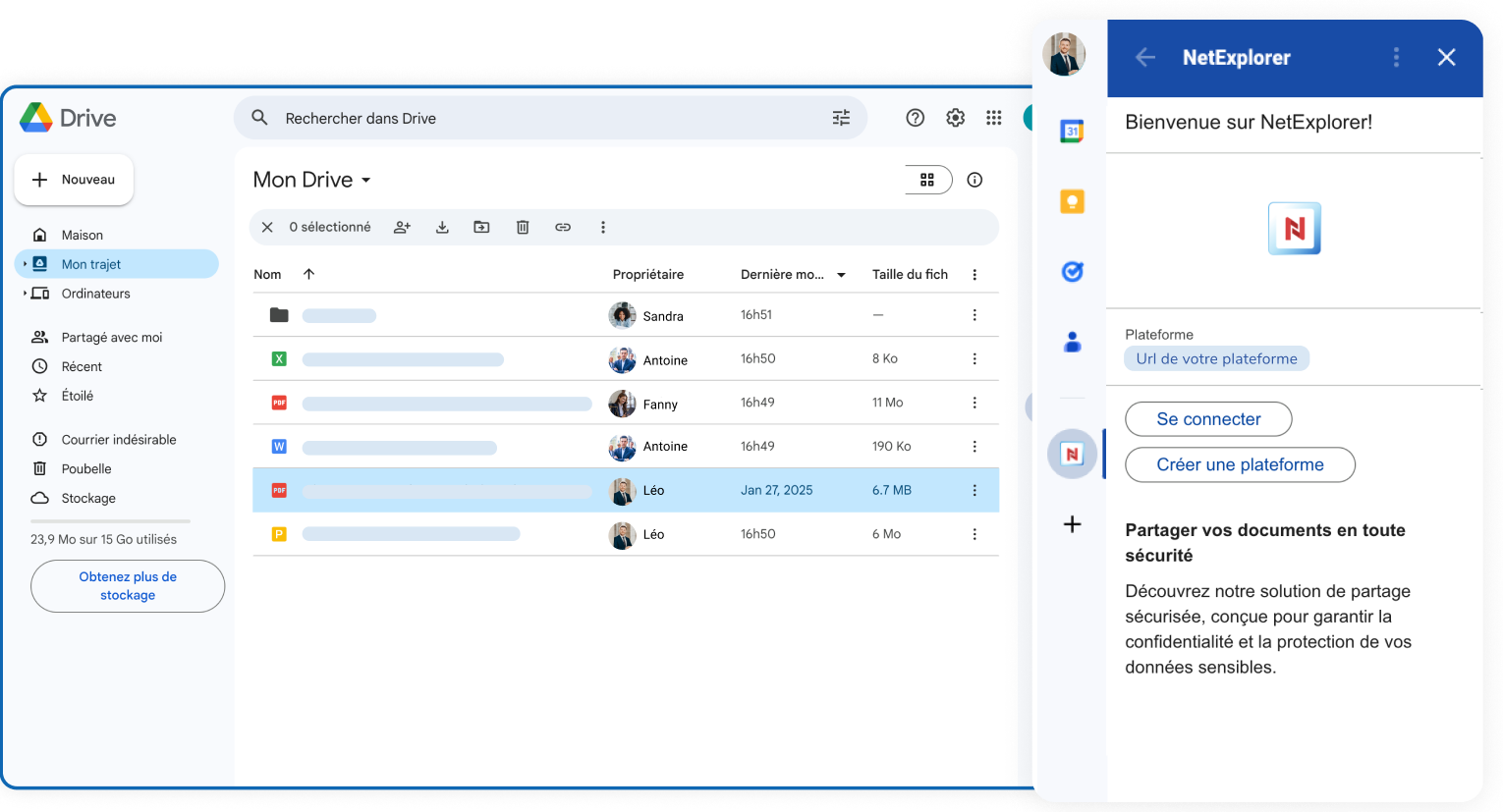
Why use NetExplorer with Google Drive?
Secure your shared files with the NetExplorer connector for Google Drive
Google Drive is an excellent collaboration tool, but when it comes to sharing files externally, control can quickly become limited.
With the NetExplorer connector, you can add an essential layer of security to your communications without changing the way you work.
Prevent leaks of sensitive data
A Google Drive link can easily be forwarded or shared with the wrong people. With NetExplorer, you can secure your files using password-protected links, expiration dates, and precise access controls. Your documents remain accessible only to the right people.
Stay in control after sending
Once a file has been shared via Google Drive, it’s hard to take back control. NetExplorer lets you edit a link after sending it, change the password, or disable access at any time
You retain control over your files, even after they are published.
Keep a close eye on your files
Knowing whether a document has been viewed or downloaded is essential in many professional settings.
With NetExplorer, receive download notifications, track access in real time, and monitor interactions with your files. Ideal for contractual, commercial, or sensitive exchanges.
Ensure compliance and data sovereignty
Unlike standard solutions, NetExplorer guarantees hosting in France and compliance with European regulations.
A key asset for GDPR compliance, the management of sensitive data, and public or regulated organizations
Quick and easy installation
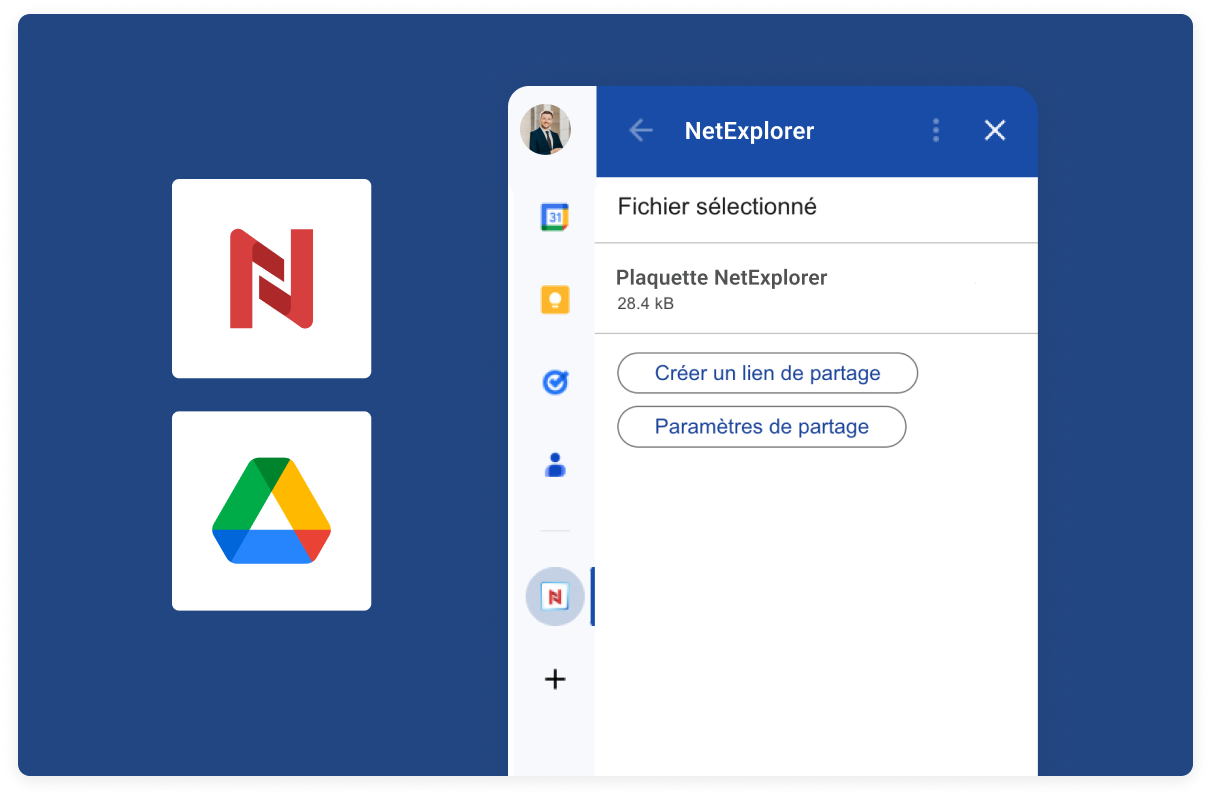
A simple connector to secure your shared files from Google Workspace
Notice to Google Workspace users: Share your files securely with NetExplorer directly from Google Drive for your Docs, Sheets, or Slides.
-
Download the NetExplorer connector from the Google Play Store.
-
Once downloaded, it will appear on the right side of your screen.
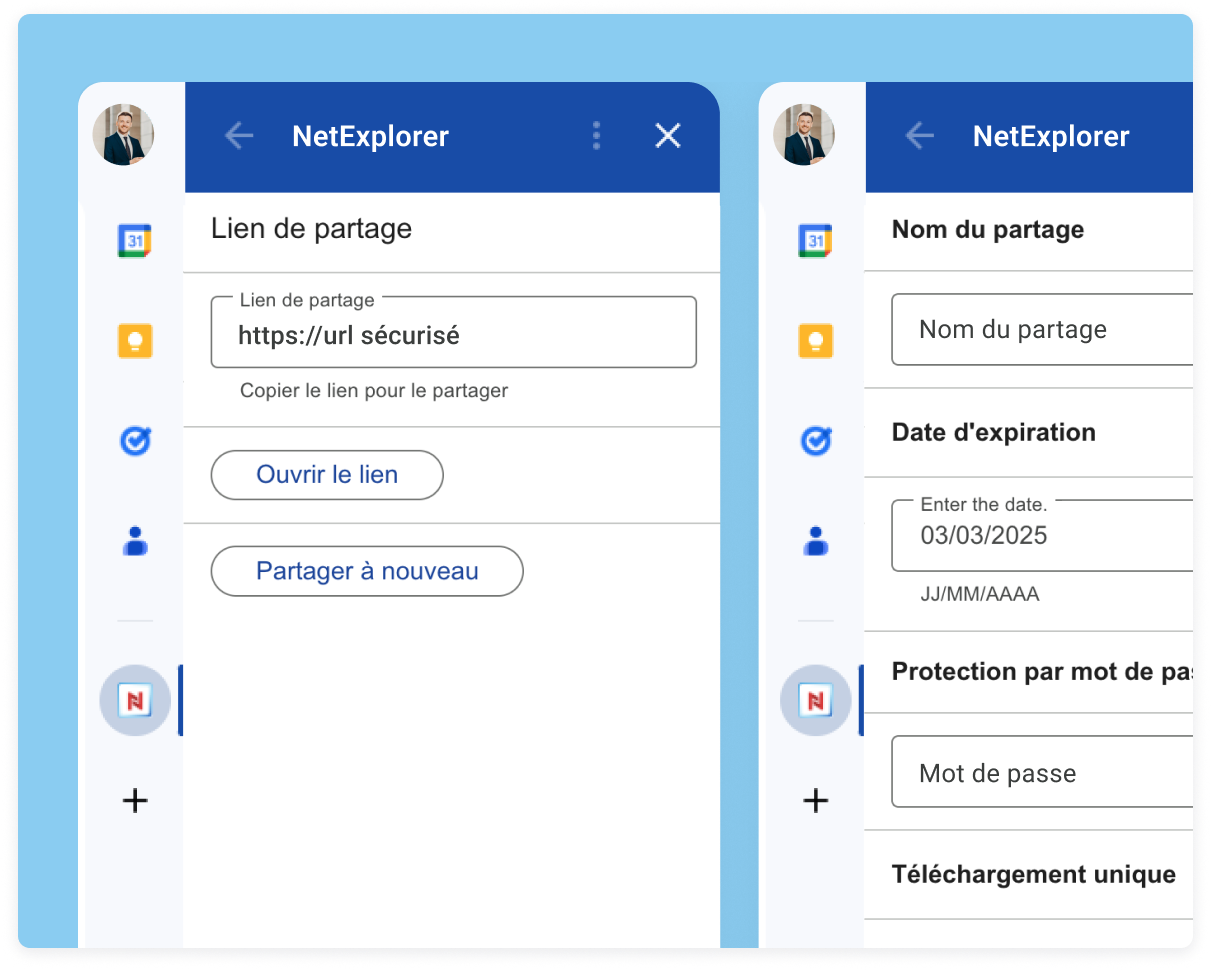
Secure sharing of large files
Once connected to your platform, the connector lets you create a share link in just a few clicks.
-
Select the relevant file(s)
-
Launch your connector
-
If necessary, set a password to secure your file. You will need to provide this password to the recipient so they can access the documents
-
Track your file sharing directly from your NetExplorer Workspace platform.
human values,
beyond digital.
.
Guaranteed traceability
A copy of your file is automatically saved to your NetExplorer platform.
You can change your transfer settings after sending it—including the expiration date of the sharing link—or correct the password.
Learn more about interconnection

What is the NetExplorer connector for Google Drive?
The NetExplorer connector for Google Drive is an extension that allows you to secure file sharing directly from Google Workspace (Drive, Docs, Sheets, and Slides).
Specifically, it adds an advanced layer of security to Google Drive by allowing you to:
· generate secure sharing links
· protect files with a password
· track downloads in real time
· maintain control over access after sending
It is an ideal solution for businesses that use Google Drive but want to enhance the security and traceability of their file exchanges.
Why secure your Google Drive shares with a connector?
By default, Google Drive makes it easy to share files, but offers limited control once the link has been shared.
Using a connector such as NetExplorer allows you to:
- prevent leaks of sensitive data
- precisely control who has access to the files
- add access restrictions (password, expiration)
- track recipients' actions
This is particularly important for companies that handle confidential data (HR, legal, finance, IT).
How do I send a secure file from Google Drive?
With the NetExplorer connector, you can securely send files from Google Drive in just a few simple steps:
- Select your file from Google Drive
- Launch the NetExplorer connector
- Generate a secure sharing link
- Add a password or an expiration date if necessary
- Send the link to the recipient
You can then track the link's activity from your NetExplorer platform.
Can you send large files using Google Drive via Internet Explorer?
Yes, the NetExplorer connector lets you send large files without any size or format restrictions. Unlike traditional solutions such as email or certain file-transfer tools, you can:
- share large files (videos, blueprints, technical data)
- avoid compression or loss of quality
- ensure a fast and secure transfer
It’s an ideal solution for marketing, technical, or manufacturing teams.
Is it possible to track who downloaded a file?
Yes, traceability is one of the main advantages of the NetExplorer connector.
You can:
- to determine whether a file has been downloaded
- know the date and time of access
- receive download notifications
This feature is essential for sensitive or contractual communications.
Can you edit a sharing link after sending it?
Yes, unlike Google Drive alone, NetExplorer lets you retain control even after sending the file.
You can at any time:
- change password
- change the expiration date
- disable the link
This allows for a quick response in the event of an error or uncontrolled sharing.
Is the NetExplorer connector compatible with Google Workspace?
Yes, the connector is fully compatible with the Google Workspace ecosystem:
- Google Drive
- Google Docs
- Google Sheets
- Google Slides
It integrates seamlessly into your work environment without changing the way you work.
Is the NetExplorer connector suitable for businesses?
Yes, the connector is specifically designed for organizations with security and compliance requirements. It is particularly useful for:
- SMEs and mid-sized companies
- IT services
- the legal and HR teams
- regulated sectors (healthcare, finance, public sector)
It combines ease of use with safety requirements.