
Connector - Microsoft
Integrate NetExplorer with
Microsoft's
, Outlook, and Teams!
Boost your collaboration by connecting NetExplorer to Microsoft Outlook
, and Teams for smooth, seamless workflows.
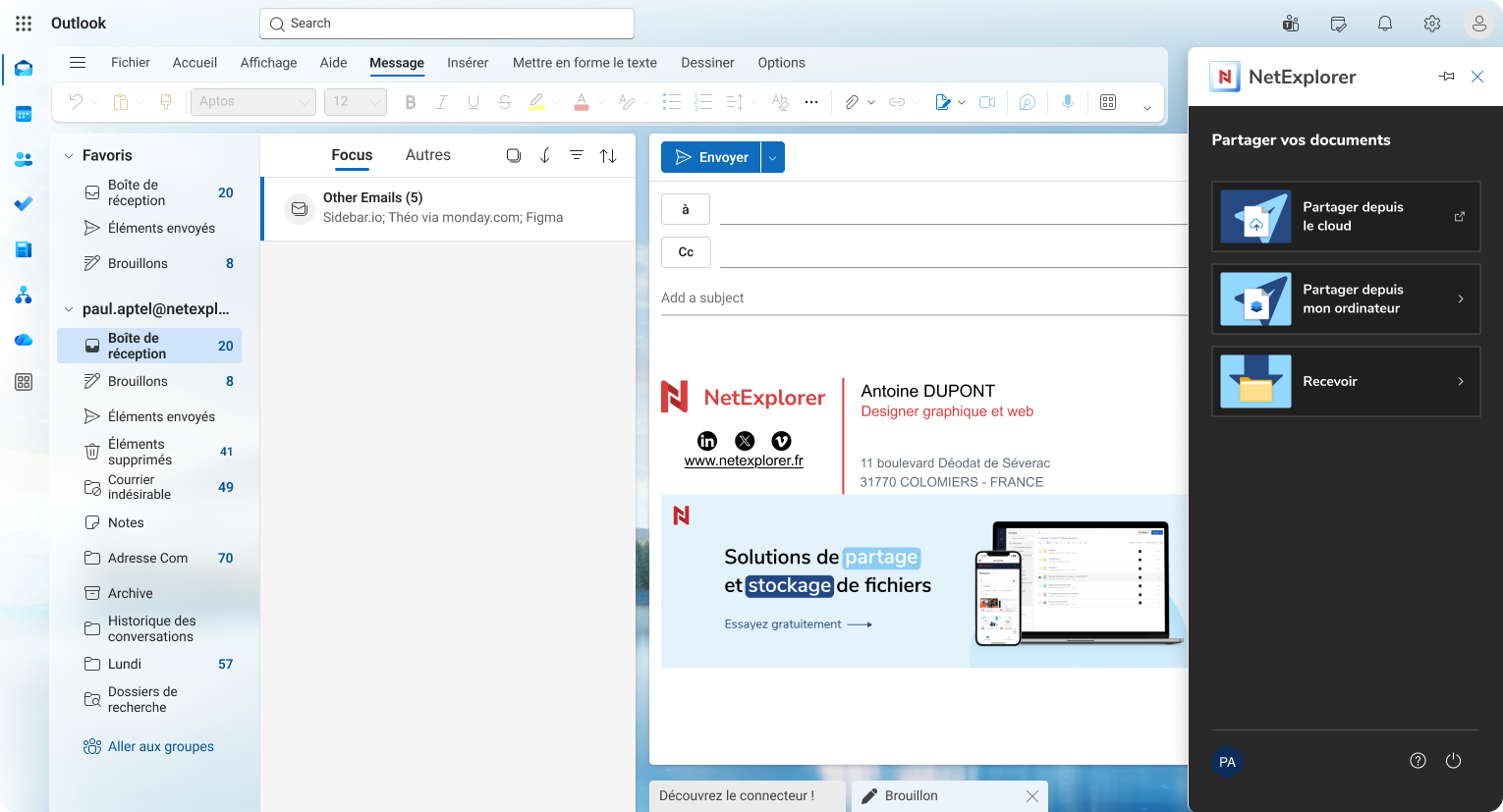
No more non-compliant and dangerous transfer tools
Outlook limits the size of attachments to 20 MB
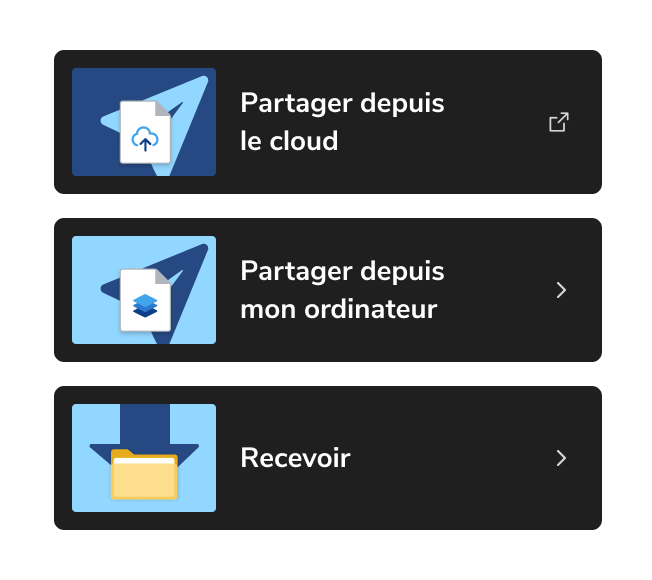
With the NetExplorer connector for Outlook, you can send any files directly from your Outlook inbox—no more restrictions on file size or format!
You can also use the Outlook connector to save email attachments and store them directly on your NetExplorer platform, in the location of your choice.
-
Easy to install, this connector saves you valuable time and reduces the risk of duplicate or unnecessary downloads.
Easier way to send large files from Outlook
A real estate agency works every day with large files: property photos, floor plans, or administrative documents. With the NetExplorer connector for Outlook, you can easily send these large documents via email.
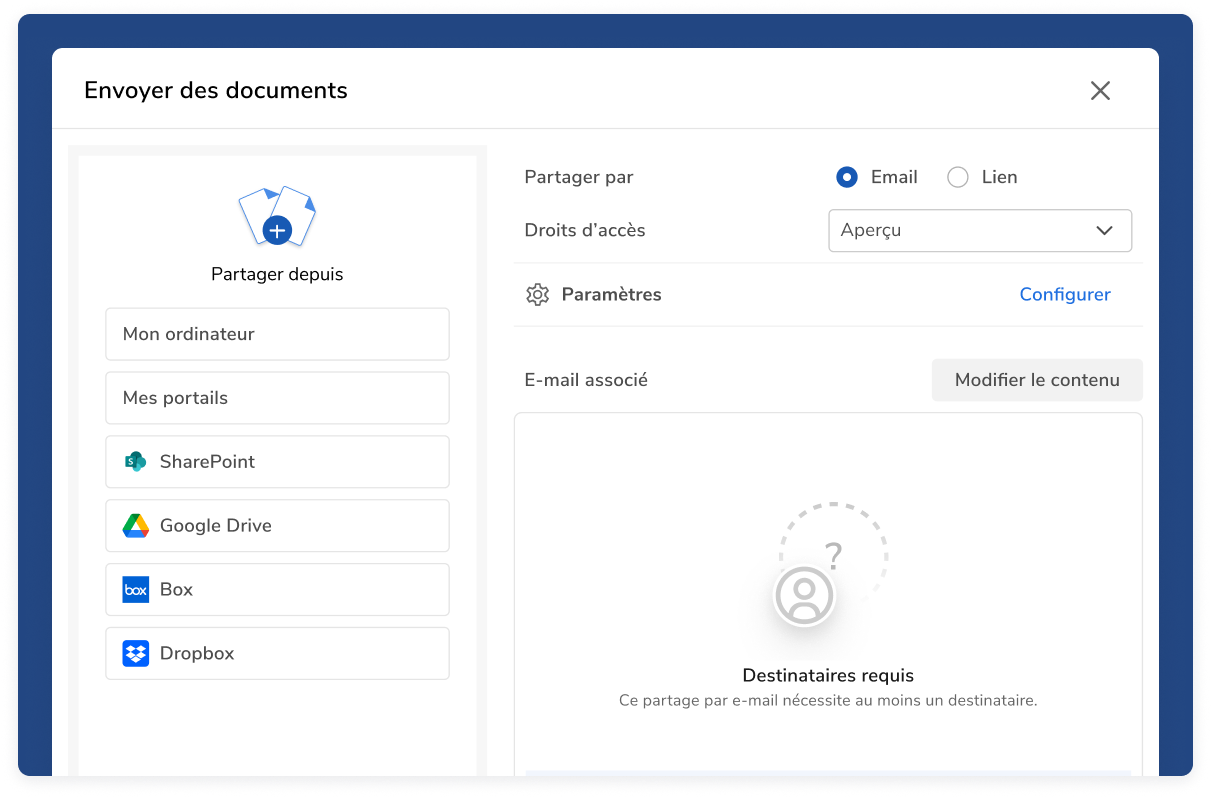
Efficiency without compromising safety
Set up your shares directly from the connector:
-
Protect your messages with a password.
-
Set up an SMS code to protect your shared documents.
-
Request a download receipt.
-
Limit sharing to a single download.
human values,
beyond digital.
.
Sharing files during your meetings has never been easier!
Share your files instantly during Teams meetings
With the Teams connector built into NetExplorer Workspace, you can quickly and easily generate a sharing link. No need to send another email after a video conference—the connector quickly generates a download link.
Import the selected file(s) from your NetExplorer platform
During a video conference between a lawyer and a notary, documents must be shared quickly and securely. A sharing link is generated via the connector directly from within the video conference.
Learn more about interconnection


Are NetExplorer connectors compatible with Outlook for desktop and Outlook on the web?
Yes, NetExplorer connectors are compatible with both the desktop version of Outlook and Outlook Web (Microsoft 365). This allows you to easily send large or sensitive files directly from your email, regardless of your work environment.
The Outlook connector integrates seamlessly into your interface and lets you replace traditional attachments with secure sharing links, all while keeping your workflow the same.
Where can I download the NetExplorer connector for Outlook?
You can download the NetExplorer connector for Outlook directly from our dedicated page: NetExplorer for Outlook on our knowledge base.
This Outlook connector lets you send large files without any attachment size limits, while taking advantage of NetExplorer’s advanced features, such as:
- the secure sharing link
- download tracking
- access rights management
Installation is quick and easy for all users.
Where can I download the NetExplorer connector for Microsoft Teams?
The NetExplorer connector for Microsoft Teams is available here: Teams connector in the knowledge base.
It allows you to share files directly within your Teams conversations while ensuring a high level of security and access control.
With this integration, you can centralize your file transfers and avoid sending files multiple times or via unsecured channels.
Is sending files via the Outlook connector secure?
Yes, sending files via the Outlook NetExplorer connector is highly secure.
Unlike traditional attachments, files are sent via secure links hosted on our 100% sovereign infrastructure. Specifically, you benefit from:
- data encryption
- protection against unauthorized access
- option to set an expiration date
- controlled download (download confirmation, one-time link)
This ensures the confidentiality of your communications, even when dealing with sensitive documents.
What should you do if you encounter a problem while installing the Outlook connector?
If you encounter difficulties while installing the Outlook connector, there are several solutions available to you:
- Make sure your Outlook environment (desktop or web version) is compatible
- Contact your IT administrator, who can manage centralized installations
- Contact NetExplorer Support, which is available to guide you step by step
Our support team is here to help ensure quick installation and optimal performance of the connector.
Why use an Outlook connector to send large files?
Using the NetExplorer connector for Outlook allows you to bypass the standard limits on email attachments, which are often capped at just a few megabytes.
With this connector, your files are no longer sent directly via email but through a secure download link. This offers several advantages:
- Sending large files without size restrictions
- improved email deliverability (no server blocking)
- securing data exchanges (controlled access, expiration, traceability)
- user-friendly experience without changing your Outlook habits
It is currently the most effective solution for sending large or sensitive documents in a business setting.
What is a secure alternative to Outlook attachments?
The best alternative to Outlook attachments is to use a secure sharing link via a dedicated platform such as NetExplorer.
Unlike traditional attachments, this solution allows you to:
- host the files in a secure environment (sovereign cloud)
- carefully control who has access to the documents
- track downloads in real time
- set security rules (password, expiration, single sign-on)
This approach is particularly recommended for companies that handle sensitive data or are subject to compliance requirements (GDPR, ISO 27001).
How can I send a large file via Outlook without any size limits?
To send a large file via Outlook without any size limits, we recommend using a dedicated Outlook file-sharing connector.
With the NetExplorer connector, sending files is easy:
- You're composing your email in Outlook
- You upload your file via the connector
- The file is automatically converted into a secure link using your security measures
- The recipient will receive secure access to download the document
This method allows you to send files several gigabytes in size without any technical limitations, while ensuring a high level of security and traceability.