Option: NetExplorer Sign


: simple, integrated, and secure electronic signatures

NetExplorer Sign is the electronic signature option natively integrated into NetExplorer Workspace. Based on Yousign
(soon to be Youtrust) technology and enhanced by NetExplorer's expertise, it combines technical robustness, eIDAS compliance, and a smooth user experience.
Create, send, track, and archive your signature requests, in your environment, in complete security.

"We have developed the application without complicating it. It is a combination of the technical power of Yousign
and the NetExplorer experience. The challenge was to integrate advanced features without compromising fluidity."
Bertrand Servary
CEO of NetExplorer

NetExplorer + Yousign:
A sovereign partnership

NetExplorer chose Yousign (soon to be Youtrust) for one simple reason: a shared vision of security, compliance, and product requirements.

This partnership is part of a clear strategy to build a sovereign European ecosystem by combining NetExplorer's document management expertise with Yousign's electronic signature expertise.

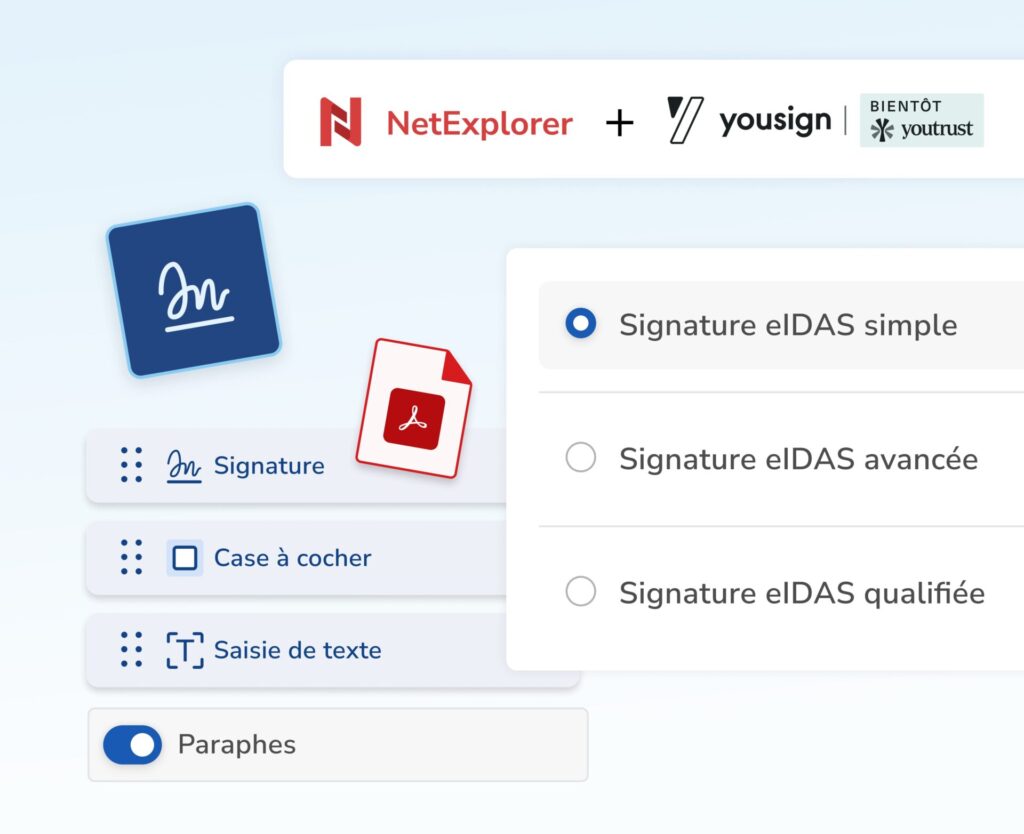
An eIDAS-compliant electronic signature

NetExplorer Sign complies with the European eIDAS regulation, guaranteeing the full legal validity of electronic signatures as well as the authenticity, integrity, and non-repudiation of signed documents.

Each signature is based on the use of a qualified electronic certificate, which reliably certifies the identity of the signatory, the exact date and time of the signature, and the integrity of the document throughout the process.

This provides you with legally enforceable signatures that comply with European regulatory requirements.

Simple signature

for routine documents and internal approvals.

Advanced signature

with enhanced signer authentication.

Qualified signature

the highest level of security, equivalent to a handwritten signature in Europe.

Designed for continuity of use


's native electronic signature in NetExplorer

Sign your documents directly from NetExplorer, without interrupting your workflow:

· No external tools
· No new interface
· No document transfer

All documents remain centralized at the heart of your document management system.
External signatories receive a secure link and sign in just a few clicks, without having to create an account.

Track, monitor, archive:
everything is tracked

Each signature request can include one or more PDFs, selected directly from NetExplorer Workspace, without exporting or duplicating.

All steps in the process are automatically tracked, giving you real-time visibility into progress.

Signed documents are then centralized and archived in your document space.

Don't leave any signature
s pending

To ensure your signatures are finalized quickly, NetExplorer Sign includes a programmable automatic reminder system:

· Every 2, 7, or 14 days
· Up to 5 successive reminders
· Reminders assigned directly to recipients

Customization, workflows, and tracking: everything is just a few clicks away

Complete customization of your documents

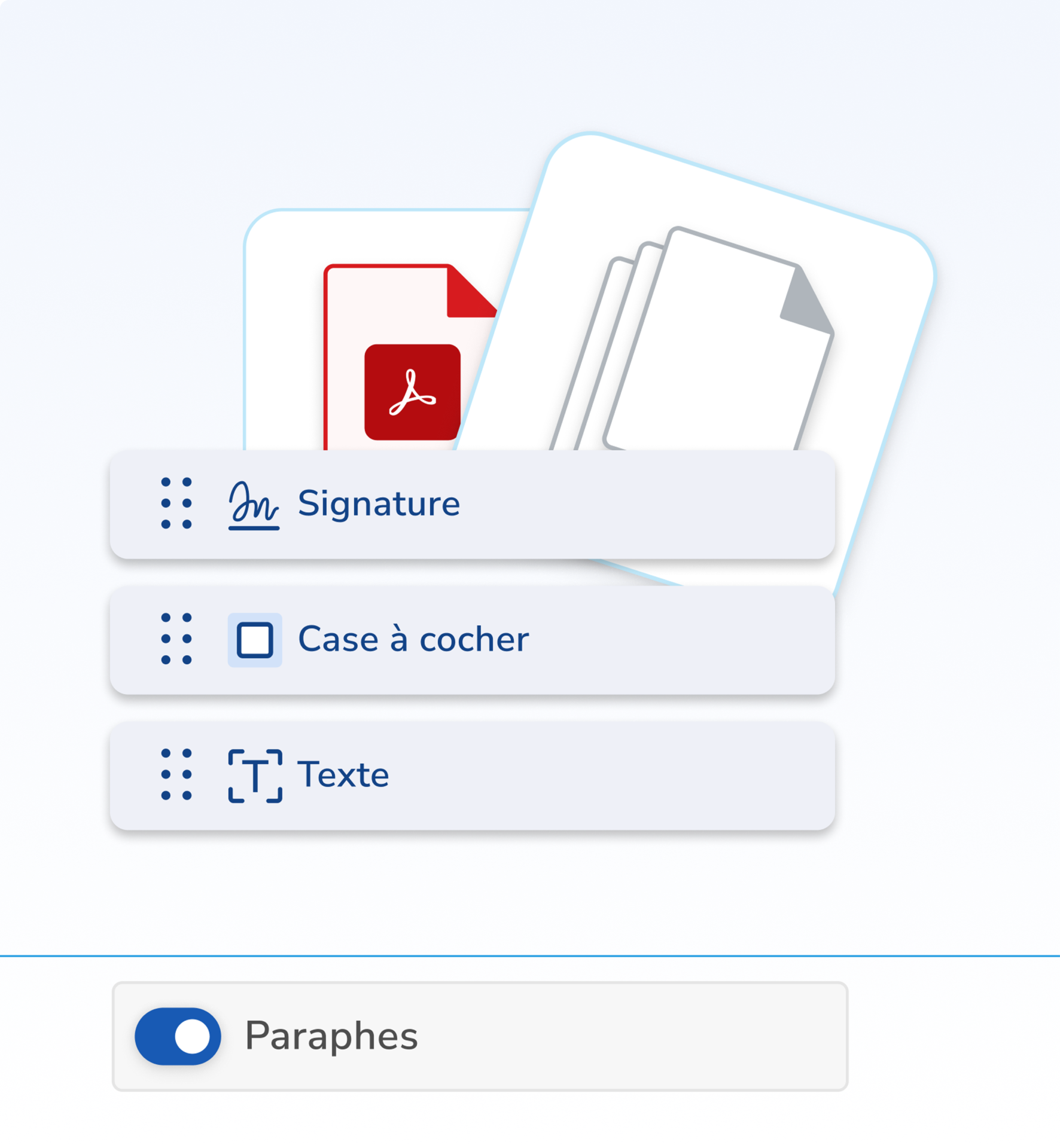
From the document view, you can enhance your PDF files with all the fields necessary for your business needs:

  • Free text fields
  • Checkboxes
  • Signature fields
  • Initials
  • Multiple signatures on one or more documents

Thanks to drag & drop mode, fields can be added, resized, and multiplied freely, on one or more pages, or even across multiple files within the same request.

Signature workflows tailored to every situation

NetExplorer Sign adapts to the reality of your internal and external processes thanks to three sending modes:

  • Sequential: signatories sign in a specific order. Each person is notified of the actions taken.
  • Simultaneous: all signatories can sign the document at the same time, independently and without any imposed order.
  • Mass signing: each signatory receives the document at the same time, signs independently, and receives their individual copy.

You can also add upstream approvers and recipients in copy, who are notified at each stage and receive the final signed document.

Precise management and tracking of requests

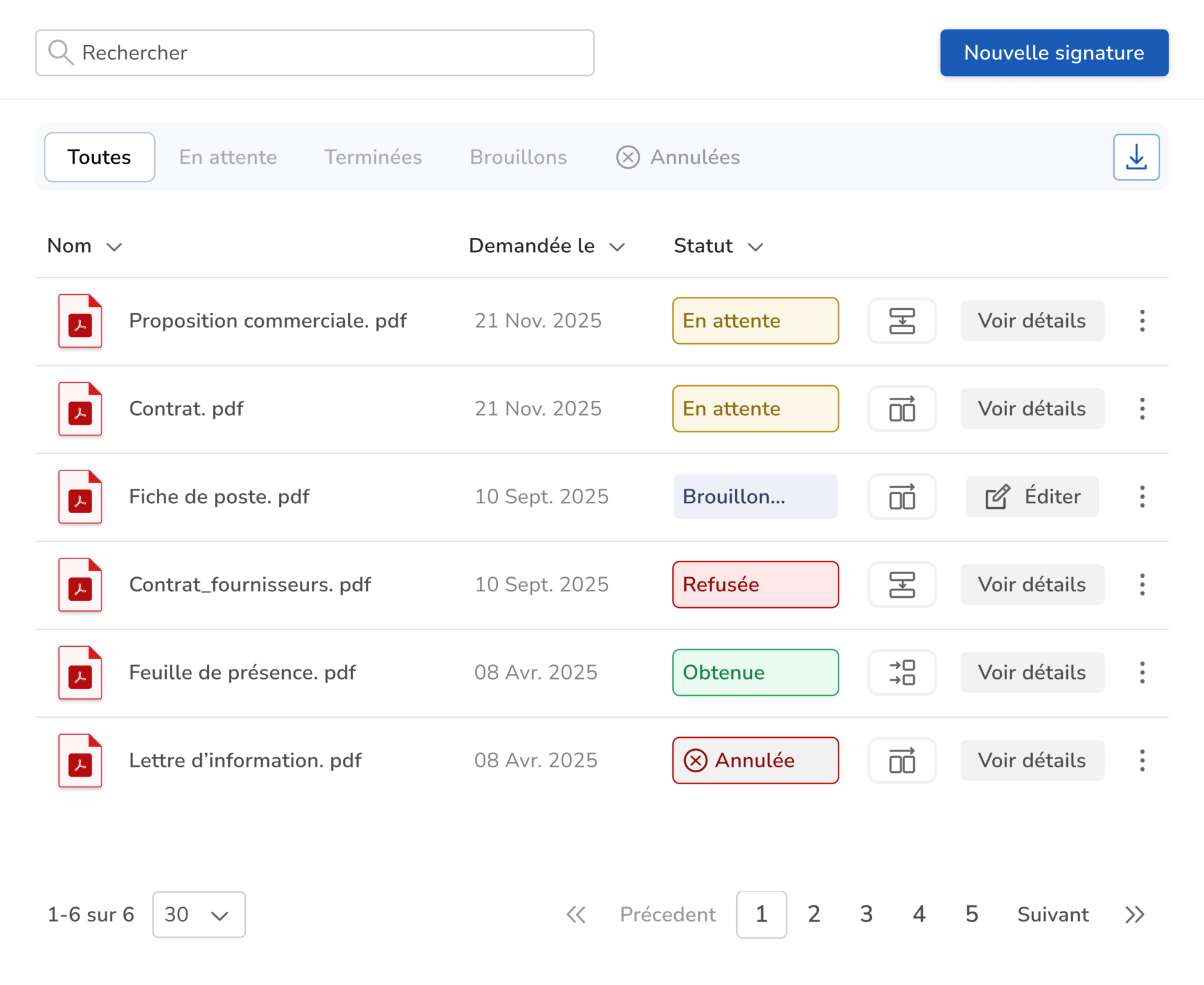
All your signature requests are grouped by status for clear and operational tracking:
  • Pending: direct access to the signature link
  • Obtained: immediate access to the validated document
  • Rejected: document preview and reason for rejection

All data can be exported in CSV or Excel, for analysis, reporting, or internal sharing.

Signatory authentication

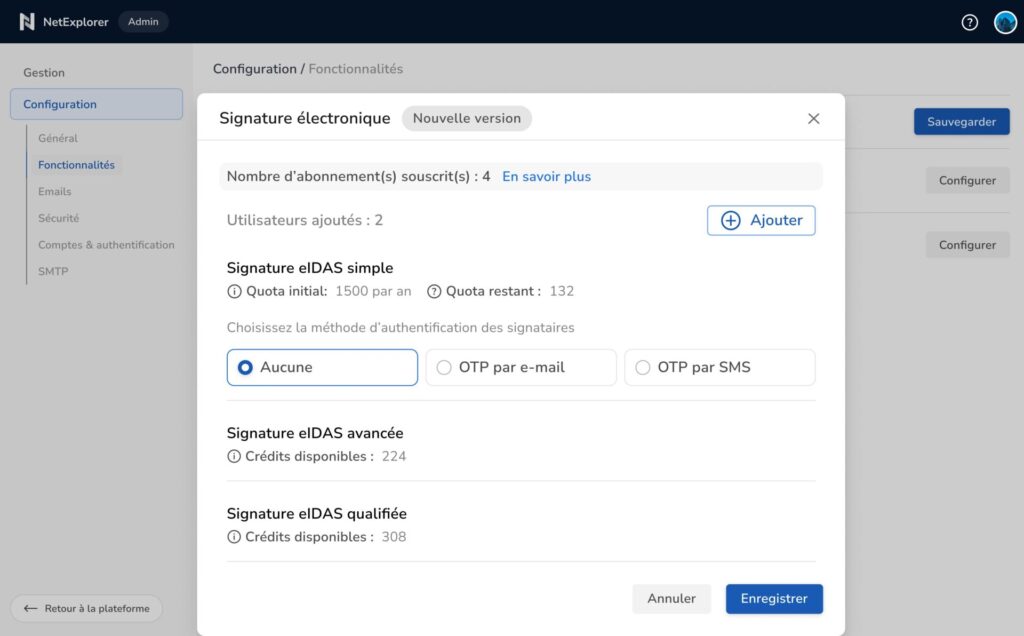
The level of authentication is adapted to the type of signature, in order to balance security and ease of use:

  • Simple eIDAS signature: freely configurable authentication (none, OTP via email, or OTP via SMS).
  • Advanced and qualified eIDAS signatures: strong authentication via SMS OTP required, ensuring signer identification and regulatory compliance through fast and reliable automated identity verification.

Safety first

In addition to the guarantees offered by the eIDAS regulation, NetExplorer implements a comprehensive security architecture to protect your documents and signature processes at every stage.

Each document is systematically encrypted, ensuring its confidentiality throughout its lifecycle. All actions performed on the platform are fully traceable: access, signatures, validations, refusals, and consultations are recorded in detailed event logs that can be used for auditing or compliance purposes.

NetExplorer Sign: for which use cases?

What is included in the Sign option

*Requires NetExplorer Workspace subscription

NetExplorer Sign

Sign your documents with confidence—
—directly from your platform.

250 credits per user

eIDAS electronic signature (simple, advanced, qualified)

Native integration with NetExplorer Workspace*

Customizable fields and flexible workflows

Full traceability and log export

Automatic reminders

Centralized administration

Discover more options

Vault

Immutable backup on LTO magnetic tapes

HDS

The option dedicated to healthcare data compliance

Private Cloud

The exclusivity of a sovereign cloud
s on dedicated infrastructure

API

The option that integrates NetExplorer into your applications without compromise

Frequently Asked Questions

No. External signatories receive a secure link and sign with just a few clicks, without having to create an account.

Signature requests are made from PDF files stored on your Workspace collaborative platform. A request may contain one or more PDFs.

  • Sequential: signatories sign in a specific order. Each person is notified of the actions taken.
  • Simultaneous: all signatories can sign the document at the same time, independently and without any imposed order.
  • Mass signing: each signatory receives the document at the same time, signs independently, and receives their own individual copy.

Yes, you can add upstream approvers to strengthen your validation processes.

You can schedule automatic reminders every 2, 7, or 14 days, up to 5 reminders.

Yes. Requests are grouped by status, and you can export the tracking to CSV or Excel.

The proof of signature is stored on Yousign's servers. The signed document is stored on your NetExplorer Workspace platform.

Select the connection space that's right for you